The Concept of the Cloud
The newest version of the Android platform known as Android 4.2, Jelly Bean, offers tablet users a host of new features, enhanced functionality, swifter reactions, and an elegant user interface they’ve come to expect from the Android platform.
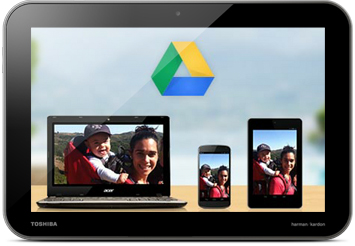
Jelly Bean also provides a seamless transition from home base to the road by giving you full use of Google Chrome™ right on your tablet, allowing you to import your bookmarks and preferences. Web sites will load fast and in full glory with HTML5-ready Web browsing. And Jelly Bean is cloud sync compatible, so you can access and edit any of the documents you’ve got stored in Google Drive™.
Fast and Smooth
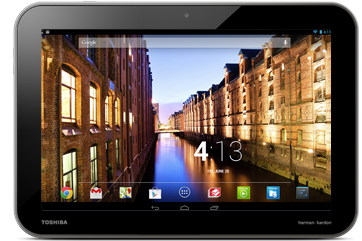
Android 4.2 makes everything feel fast, fluid and smooth. With buttery graphics and silky transitions, moving between home screens and switching between apps is effortless, like turning pages in a book. More reactive and uniform touch responses mean you can almost feel the pixels beneath as your finger moves across the screen. Jelly Bean makes your Android tablet even more responsive by boosting your device’s CPU instantly when you touch the screen, and turns it down when you don’t need it to improve battery life.
Refreshed Functionalities
With built-in micro ports commonly appearing on Android tablets, and SD card slots for expanded memory, your Jelly Bean tablet fits into your life with plenty of room for your other beloved accessories.

Google Integration = Endless Possibilities
Jelly Bean also offers complete Google integration into your tablet computing life, providing the premium features of Google Search, Google Now, Google Play™, and all of Google’s convenient apps right on your Android tablet.
Google Now brings you the information you need, when and where you need it, before you even ask. It tells you today’s weather before you start your day, or when the next train will arrive as you’re standing on the platform. With the latest version, you can track packages easily, get information about upcoming movies, and much more.
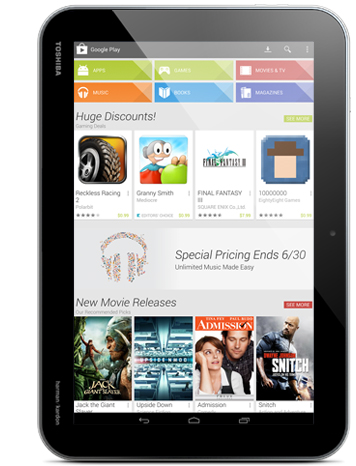
Google Play puts your media in order, organizing your books, music, movies and TV shows into one handy, smart portal. Along with easier access to your media library, Google Play also provides encryption services for paid products, smart suggestions for songs or shows you might have missed, and smooth syncing across devices.
Google Apps like YouTube™, Gmail™, Google Chrome, or Google Maps™ are also directly accessible with Jelly Bean. With these apps and Google Search integrated, your Jelly Bean tablet can tackle any task.
- Gmail™ is organized in much the same manner as the desktop version, making it easier to navigate. It’s easier to attach photos and files, and runs much faster.
- Fully integrated social media tools assure you never miss the latest happenings in your social network.
- The buttery smooth People App manages Google contacts by snatching up Google+ photos and syncing your contact list across all devices. It’s also optimized for 7-inch screens, with a brand new layout.
Google Integration
New & Improved Features
With Android 4.2 you’ll get access to new and improved features that will quickly become indispensable such as:
One Tablet, Many Users
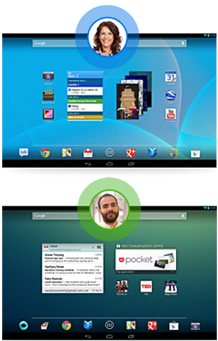
Thanks to the Android 4.2, you’ve now got support for multiple users and can give each person their own space. Everyone can have their own homescreen, background, widgets, apps and games—even individual high scores and levels. And since Android is built with multitasking at its core, it’s a snap to switch between users—no need to log in and out.
A Smarter Keyboard, Now with Gesture Typing
Writing messages on the go is easier than ever with Gesture Typing—just glide your finger over the letters you want to type and life after each word. You don’t have to worry about spaces because they’re added automatically for you. The keyboard can anticipate and predict the next word, so you can finish entire sentences just by selecting suggested words. Power through your messages like never before.
Go On, Daydream
Daydream lets your Android tablet display useful and delightful information when idle or locked. Show off your photo albums, get the latest news from Google Currents, and more.
Make Yourself at Home
With Face Unlock, your Android tablet can recognize your face as quickly as an old friend, giving you instant access as soon as you give the webcam a glimpse of your beautiful mug. And once you’re in, Jelly Bean gives you more options than ever to get things just the way you like them.
Support for multiple users
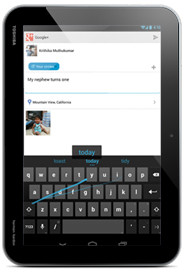
Gesture Typing Keyboard
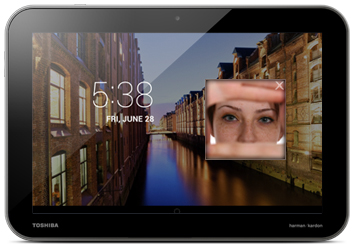
Face Unlock provides security and personalized options.
Widgets Work Like Magic
Put the important stuff right within reach and interact with your favorite apps directly from your home screen with widgets — see the latest sport scores, view your favorite photos, check the weather or peek at your inbox all without having to open different apps or leave the home screen.
Home Screen Personalization gives you full reign over your use of the device, and sorting your apps into custom folders keeps things cleanly organized and easy to access. Custom wallpapers, helpful and thoughtful widgets and intuitive access to everything makes sure that you can get whatever you need the instant you need it. Interacting with your favorite apps and customizing your home screen has never been easier.
The Calendar App lets you pinch to zoom in and see details of specific events, or zoom out to view all events for the day. You can also now view multiple Calendars at once. The high-resolution font Roboto, which appears throughout, was specifically designed to read cleanly on high-resolution displays.
The New text-to-speech feature may be the most natural of its kind in conversational cadence, leaving its robotic predecessors to sound antiquated, plus it can be activated even in offline mode.
Notifications, Better than Ever Notifications are now more organized, more informational, easier to read, and most of all, more actionable. They’re condensed and listed by App, giving you a faster and more comprehensive view. You can easily expand or collapse each item on the notifications list with a quick pinch to get a more detailed look. The notifications tray displays screenshots taken and support music controls so you can pause or skip a song without having to first go into the app.
Favorites Jelly Bean also carries on a convenient and customizable favorites tray, where you can place your most used contacts or apps for easy access.
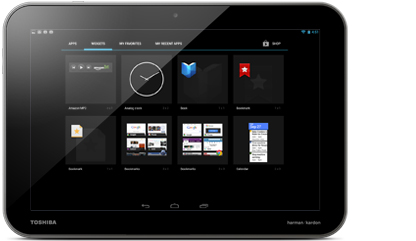
Keep important apps within reach with Widgets.
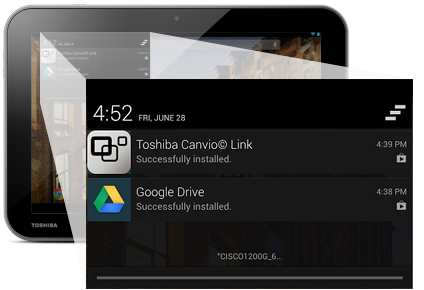
Improved notifications tray.
A Tablet to Complement Your Digital Life
Tablets are a must-have item for people who love to surf the Web, keep in touch with friends, be productive on the go, and more. With outstanding portability, speed, and functionality, they’re as practical as they are fun, and increasingly adaptive to the needs of a mobile world. Tablet touchscreens, when paired with a silky smooth platform can be the ultimate in intuitive interaction.
Tablet computing provides enough flexibility for work and play. Android tablets are so functional, they can perform a lot of your daily computing needs. With a sleek, thin footprint for easy transportation, there are many advantages to owning a tablet:
Supreme portability. Tablets make ideal traveling companions. Screens usually measure between 7 and 10.1 inches diagonally, which makes them easy to carry but big enough to comfortably read e-mail, tap out notes, or read a book.
Extended standby time. Like a smartphone, a tablet rarely needs to be powered off. The display sleeps to conserve battery life. This not only lets the device start up instantly, but also allows it to continue downloading emails and receive instant messages. Many tablets, such as the line of Excite tablets, offers a long battery life.
Inexpensive apps. If you don’t need a PC for cranking out heavy-duty work documents, a tablet can mean big savings on software. As with a smartphone, many applications are free; others cost between $1 and $20.
Browse the line of tablets powered by Android 4.2