Windows® 7

Compatible With You

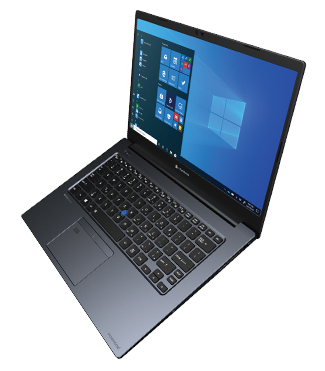
Want to maximize your Windows® 7 experience? Get access to all the drivers, tools, upgrade guides and support you need to make the most of your Toshiba laptop running Windows® 7.

HELP

Windows® 7 Support

For more information on the following topics, please visit our Windows® 7 Support site.

  • Find supported models
    Determine if Windows 7 is compatible with your system.
  • How to upgrade to Windows 7
    Step-by-step instructions for upgrading from Vista with and without the Toshiba Upgrade Assistant for Windows 7, and performing a Custom Installation (“clean install”) with and without the Toshiba Software Installer for Windows 7.
  • Windows 7 frequently asked questions
    Microsoft FAQs and Toshiba FAQs
  • Toshiba tools to simplify the Windows 7 installation process
    Information and download links for the Toshiba Upgrade Assistant for Windows 7 and the Toshiba Software Installer for Windows 7
  • Download Toshiba drivers for Windows 7
    Where to find software updates from Toshiba for Windows 7 installations on Toshiba laptops
  • Windows 7 hardware and software requirements
    Minimum hardware specifications for installing and running Windows 7, and minimum Windows Vista Service Pack requirements for performing an upgrade to Windows 7.
  • Windows 7 Upgrade Option Program
    Details about the Windows 7 Upgrade Option Program, including a ‘redeem now’ link for qualified customers to place a Windows 7 Upgrade order.
learn more »

Windows® 7 System Requirements:

  • 1GHz or faster 32-bit (x86) or 64-bit (x64) processor
  • 1GB RAM (32-bit) / 2GB RAM (64-bit)
  • 16GB available disk space (32-bit) / 20GB (64-bit)
  • DirectX® 9 graphics processor with WDDM 1.0 or higher driver

Additional Requirements to use certain features:

  • Internet Access (fees may apply)
  • Depending on resolution video playback may require additional memory and advanced graphics hardware
  • For some Windows® Media Center functionality a TV tuner and additional hardware may be required
  • Windows Touch and Windows Tablet require specific hardware
  • HomeGroup requires a network and PCs with Windows 7
  • DVD/CD authoring requires a compatible optical drive
  • BitLocker™ requires TPM1.2; BitLocker To Go™ requires a USB Flash Drive
  • Music and sound require audio output
  • Windows XP Mode requires:
  • Additional 1GB of RAM
  • Additional 15GB of available disk space
  • Processor capable of hardware virtualization, with Intel VT or AMD-V turned on

Windows® 7 Upgrade Advisor can help you determine which features and editions of Windows 7 will run on your computer; Also see Windows® Easy Transfer, Upgrading from Windows® Vista® to Windows® 7, or Upgrading from Windows® XP to Windows® 7.

Product functionality and graphics may vary based on your system configuration. Some features may require advanced or additional hardware; visit http://windows.microsoft.com/systemrequirements.
Some features in earlier Windows versions are not included in Windows 7. Download Windows Live™ Essentials to get similar programs including Windows Live™ Mail, Photo Gallery, Messenger and Movie Maker, for free at http://download.live.com.

Upgrading Your PC to Windows 7

Use the chart below to determine whether a clean install or an in-place upgrade will be required to get the Windows 7 experience you want.

Upgrade FROM: Upgrade TO: Windows® 7 Home Premium Windows® 7 Professional Windows® 7 Ultimate
32-bit 64-bit 32-bit 64-bit 32-bit 64-bit
Windows® XP* Custom
Install
Custom
Install
Custom
Install
Custom
Install
Custom
Install
Custom
Install
Windows® Vista® Starter 32-bit Custom
Install
Custom
Install
Custom
Install
Custom
Install
Custom
Install
Custom
Install
64-bit Custom
Install
Custom
Install
Custom
Install
Custom
Install
Custom
Install
Custom
Install
Windows® Vista Home Basic 32-bit In-Place
Upgrade
Custom
Install
Custom
Install
Custom
Install
In-Place
Upgrade
Custom
Install
64-bit Custom
Install
In-Place
Upgrade
Custom
Install
Custom
Install
Custom
Install
In-Place
Upgrade
Windows® Vista Home Premium 32-bit In-Place
Upgrade
Custom
Install
Custom
Install
Custom
Install
In-Place
Upgrade
Custom
Install
64-bit Custom
Install
In-Place
Upgrade
Custom
Install
Custom
Install
Custom
Install
In-Place
Upgrade
Windows® Vista Business 32-bit Custom
Install
Custom
Install
In-Place
Upgrade
Custom
Install
In-Place
Upgrade
Custom
Install
64-bit Custom
Install
Custom
Install
Custom
Install
In-Place
Upgrade
Custom
Install
In-Place
Upgrade
Windows® Vista Ultimate 32-bit Custom
Install
Custom
Install
Custom
Install
Custom
Install
In-Place
Upgrade
Custom
Install
64-bit Custom
Install
Custom
Install
Custom
Install
Custom
Install
Custom
Install
In-Place
Upgrade
Note: To do an in-place upgrade on either a 32-bit or 64-bit system, please ensure that your PC has either Windows Vista Service Pack 1 (SP1) or Service Pack 2 (SP2) installed first.

A custom (clean) installation gives you the option to either completely replace your current operating system or install Windows on a specific drive or partition that you select. You can also perform a custom installation if your computer does not have an operating system, or if you want to set up a multi-boot system on your computer.

An in-place upgrade keeps your files, settings, and programs intact from your current version of Windows.

Additional notes:

  • If you are upgrading from Windows XP, you will need to back up your files and settings, perform a custom (clean) install, and then re-install your existing files, settings, and programs.
  • To upgrade an earlier operating system than Windows XP (e.g. Windows 95 or Windows 2000) you will need to purchase a full license of Windows 7 and perform a custom installation.
  • Upgrading Windows Vista from one language (e.g. English) to Windows 7 in a different language (e.g. French), requires a custom install.

For additional questions about upgrading to Windows 7, please visit our Windows 7 Support Center.

Computers »

Laptops
Satellite®
Tecra®
Satellite Pro®
Qosmio®
Portégé®
Desktops
All-in-One Desktops
Hard Drives and Storage
Desktop External Drives
Portable External Drives
Accessories
dynadock®
Mobile Monitor
See All Accessories
Need Help Choosing A PC?
Laptop Finder
Computer Research Center

Tablets »

Thrive™ Tablet
Tablet Accessories

Televisions »

Internet Televisions
3D Televisions
LED Televisions
LCD Televisions
TV/DVD Combos
TV Accessories
Need Help Choosing A TV?
TV Finder
TV Research Center

Video & Electronics »

Blu-ray Players
DVD Players
DVD Recorders
Camcorders
Electronics Accessories

Explore Toshiba »

Our History
Contact Us
Social Responsibility
Careers
Ways to Buy
Toshiba Events
Our Commercials
Press Room
Reseller Partners
Public/Private Sector
Connect
Connect with us
Connect with us on Facebook Connect with us on Twitter Connect with us on YouTube